Contributing
This guide covers how to contribute to VLA Foundry, including the development workflow, coding standards, and testing requirements.
Guidelines
- Test coverage -- Code should generally have test coverage for new functionality.
- Documentation -- Code should be documented and follow the style guidelines described below.
- Code review -- All code should be reviewed by at least one feature reviewer before merging.
- Small PRs -- Keep pull requests as small as possible. For changes over a few hundred lines of actual code (not configs), break them into smaller PRs.
- Branch naming -- Branches should be attached to issues. Use the pattern
<user>/<issue_num>_<description>. Branches can resolve more than one issue, but scoping a branch to a single issue helps keep PRs focused. - Avoid cross-branch work -- As much as possible, do not work on each other's branches.
- Merge incomplete code -- Prefer merging incomplete code that clearly documents known limitations over maintaining long-lived branches.
Development Process
1. Fork the project
Go to vla_foundry and click the Fork button to create your own copy of the repository.
Note
For CI tests to pass on your fork, you may need to add your Hugging Face token. See HF token setup for forks below.
2. Clone your fork locally
3. Add the upstream repository
git remote add upstream git@github.com:TRI-ML/vla_foundry.git
git remote set-url --push upstream no_push
Run git remote -v to verify the upstream remote is listed.
4. Fetch the latest changes
5. (Optional) Set up pre-commit hooks
This runs ruff format and ruff check --fix automatically on every commit. CI enforces the same checks regardless, but the hook catches issues earlier.
6. Create a feature branch
Make changes within this branch, committing as you go.
7. Push and create a pull request
Go to the VLA Foundry repo. There should be an option to create a pull request at the top -- follow the instructions to open your PR.
8. Code review
We use GitHub code reviews. If changes are requested, you can amend your commit and force push:
Updating Requirements
VLA Foundry uses uv for dependency management.
Adding a requirement
uv add <dep>

# Example: adding httpx
uv add httpx

# With a version constraint (also used for updating versions):
uv add "httpx>=0.20"
This updates both pyproject.toml and uv.lock. Commit the updated uv.lock file to git.
Removing a requirement
This updates both pyproject.toml and uv.lock. Commit the updated uv.lock file.
Generating the lock file
If the uv.lock file does not exist, create it by running:
Note
The uv.lock file tracks exact dependency versions for reproducible builds across machines. Always commit it after adding or removing dependencies.
Stylistic Guidelines
VLA Foundry uses ruff for both formatting and linting. Ruff runs in two separate steps:
Tip
Set up your editor with a hotkey for ruff format to keep code consistently formatted as you work.
The project generally follows the amended Google Python style guidelines.
Python 3.12 modernization (pyupgrade)
We enforce pyupgrade (UP) rules via ruff with target-version = "py312". This enforces modern Python 3.12 idioms:
- Modern type hints (PEP 585/604) --
list[int]notList[int],X | NonenotOptional[X] collections.abcimports --from collections.abc import Sequencenotfrom typing import Sequence- No
from __future__ import annotations-- unnecessary on 3.12 - f-strings -- over
%formatting and.format() yield from-- overfor x in y: yield x
All UP violations are auto-fixable with uv run ruff check --fix.
Docstrings
We strongly recommend Google-style docstrings (Args:, Returns:, Raises: sections), not NumPy-style or reST-style. While not currently enforced by ruff, following this convention is encouraged for readability and consistency.
Test Coverage
VLA Foundry uses pytest for testing. Pytest features like @pytest.mark.parametrize are encouraged for testing multiple configurations.
Running tests locally
# Run all essential tests
uv run pytest tests/essential

# Run a specific test with output and name filtering
uv run pytest /path/to/my/test.py -s -k partial_string_in_test_name
HF token setup for forks
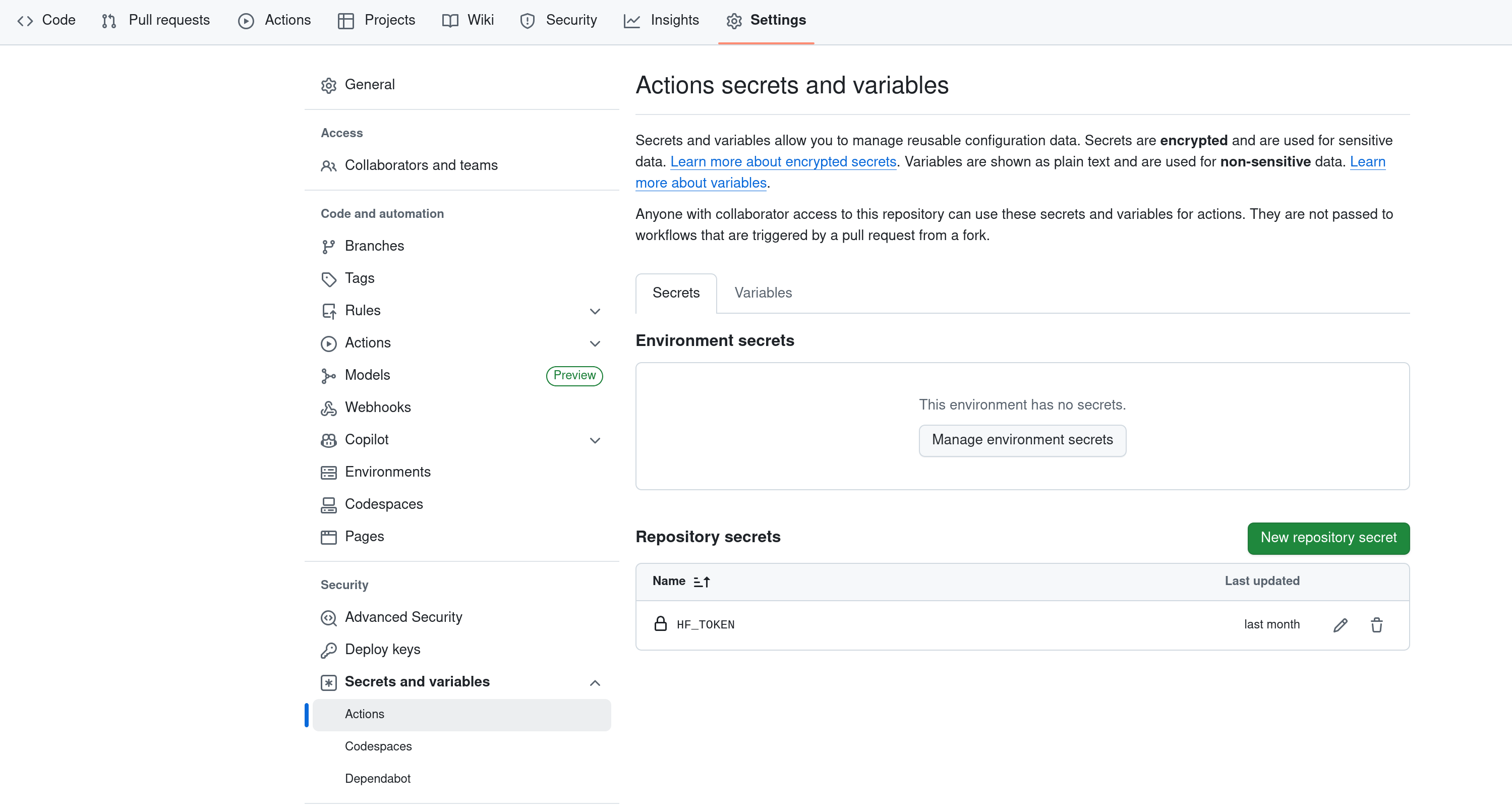
When running tests from your own fork, you need to add your Hugging Face token to your fork's GitHub settings. Go to Settings > Secrets and variables > Actions and create a new repository secret called HF_TOKEN.
Note
The tests use public HuggingFace models (e.g., SmolVLM2-256M). No gated model access is required, but an HF_TOKEN is still needed for authenticated downloads.