FAQ
Common Errors
| Error | Solution |
|---|---|
OSError: You are trying to access a gated repo | See Failing pytest tests due to Hugging Face errors below. |
OSError: Too many open files when training with S3-hosted data | Run ulimit -n 65535 (or at least 4096) before launching training. |
raise ReadError("empty file") from None during training | The number of workers is too high. Reduce --data.num_workers. |
Unable to locate AWS credentials | Configure AWS credentials via aws configure or any method documented in the AWS CLI configuration guide. Verify with aws sts get-caller-identity. |
Failing pytest tests due to Hugging Face errors
This error usually appears as:
FAILED tests/essential/data/test_robotics_dataloader.py::test_batch_size[2]
    - OSError: You are trying to access a gated repo.
The tests use public HuggingFace models (e.g., SmolVLM2-256M) that do not require gated access. However, you still need an HF token for authenticated downloads.
1. HF token
Create a Hugging Face token at https://huggingface.co/settings/tokens. The token permissions need to be set to Write.
Then make the token available locally using either method:
- Place it in
~/.cache/huggingface/token - Add
export HF_TOKEN=hf-your-token-hereto your~/.bashrc
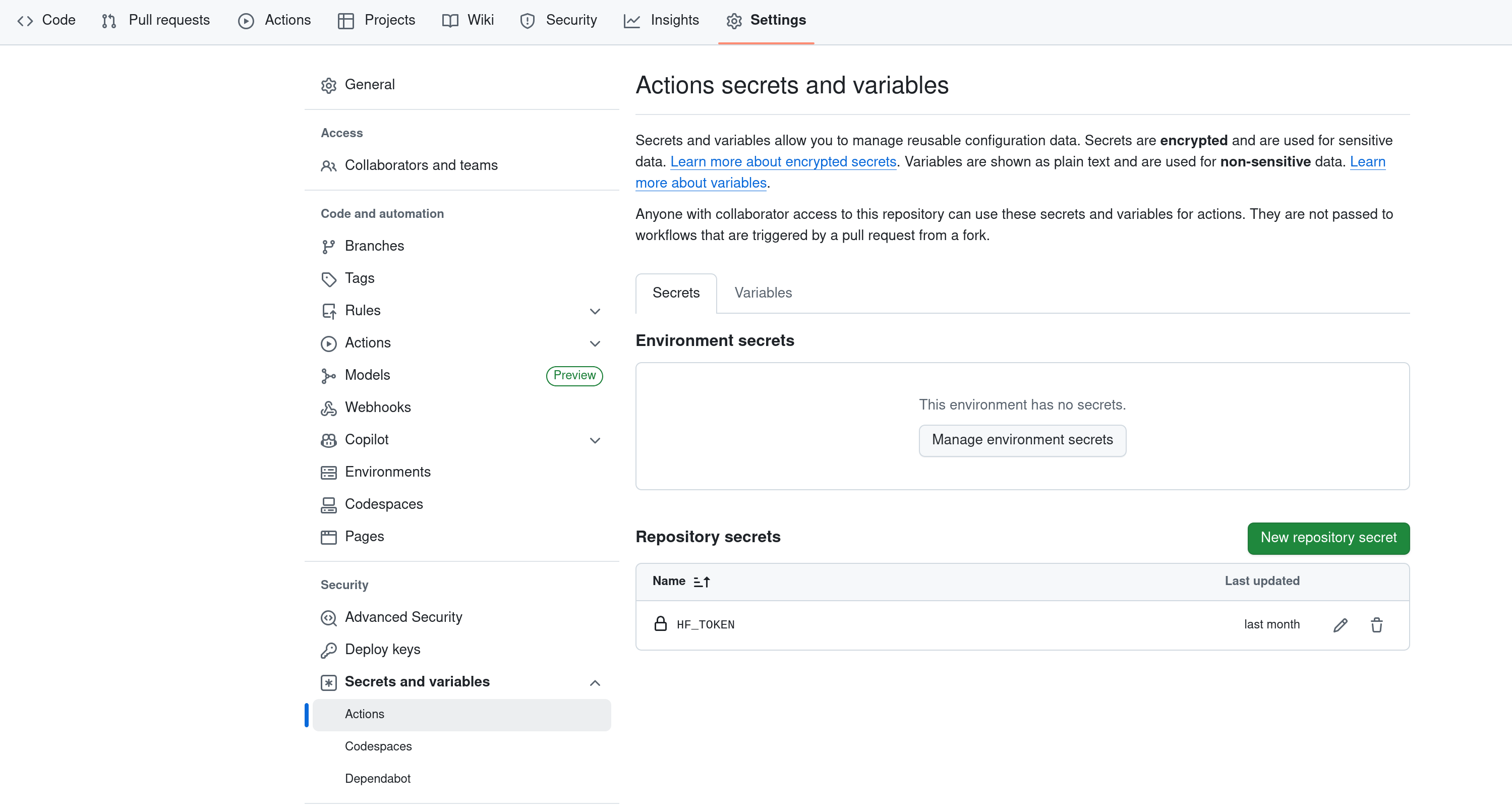
2. HF token on GitHub
When running tests from your own fork, you need to add your HF_TOKEN as a GitHub repository secret. In your fork, go to Settings > Secrets and variables > Actions and create a secret called HF_TOKEN.